Showing posts with label Business Apps. Show all posts

PocketCloud Remote Desktop Pro - v1.4.209 APK


App's Description:-

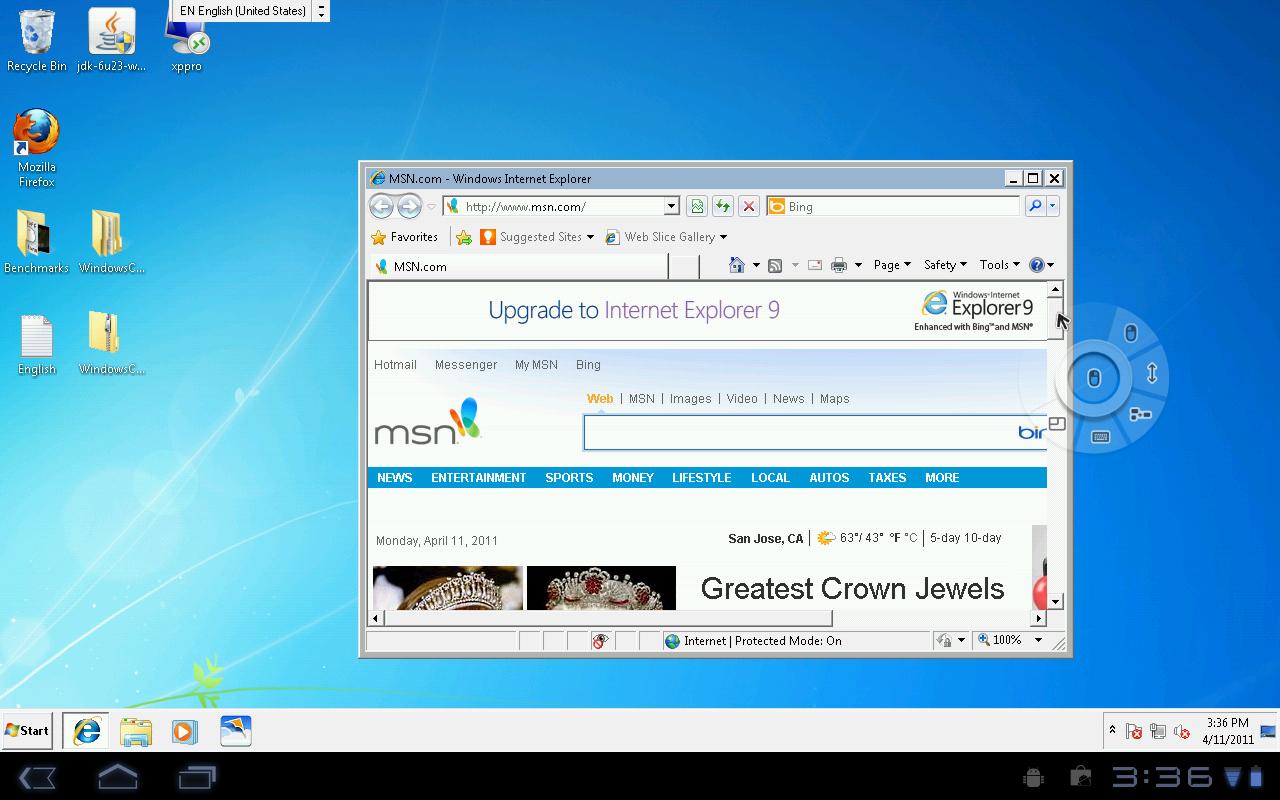
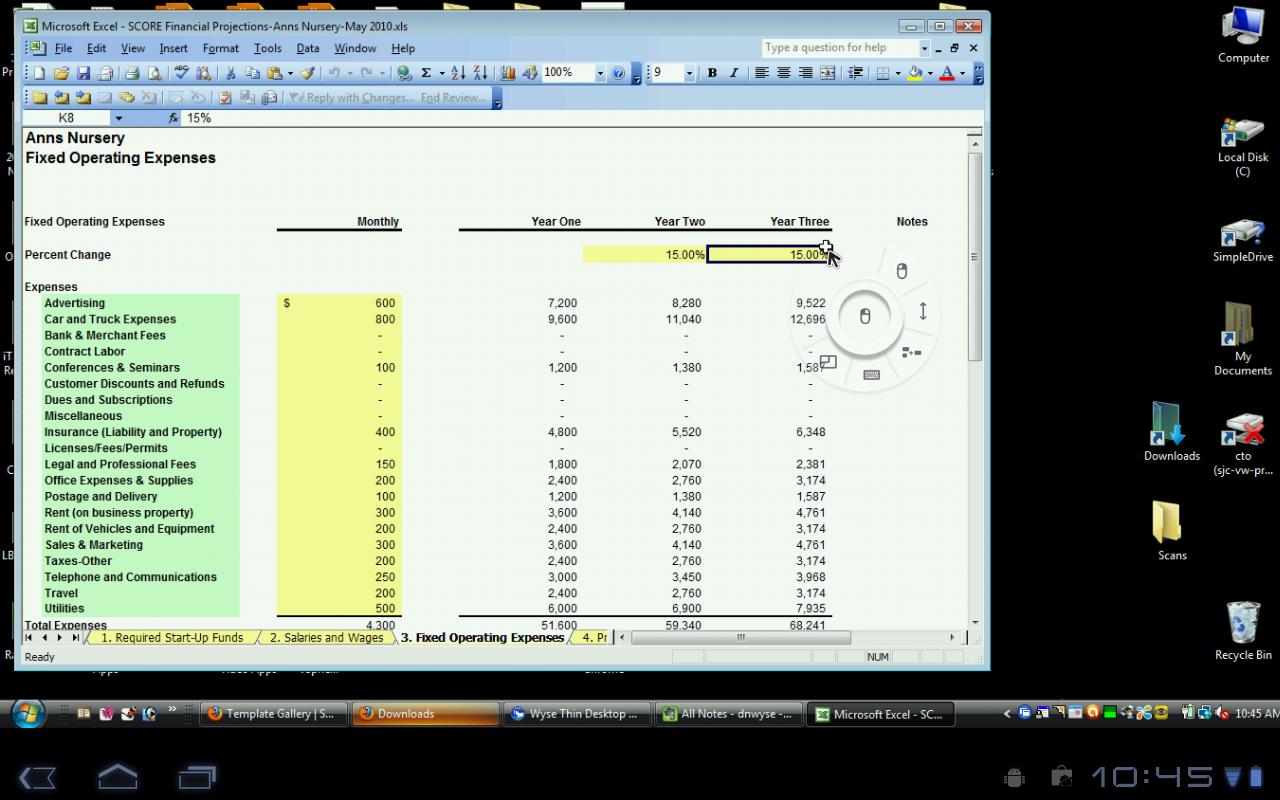
PocketCloud is a secure and fast way to remotely connect to your Mac or Windows desktop with your Android device, no matter where you are. Access your files, pictures, and applications like Outlook, Word, Photoshop, games or any other program. Simple to install with powerful features, enterprise security and RDP/VNC compatibility, PocketCloud is a great choice for remote desktop access.

☆Named top remote desktop app by PC World☆
☆Named a top 10 app for working away from the office by USA Today Tech☆
☆Winner of 148Apps Best App Ever Award for Android remote computer access☆

So leave your laptop behind and don’t be concerned with copying files you need from your desktop. Access them all with PocketCloud—make an important presentation, grab a forgotten report, help a friend with a computer problem, or edit and email a spreadsheet while traveling as lightly as possible.

Two Easy Setup Options:
I) Auto Discovery (Recommended): Hassle-free access to your desktops with minimal setup and no technical know-how. Simply install PocketCloud on your Android device and follow the simple step-by-step instructions.
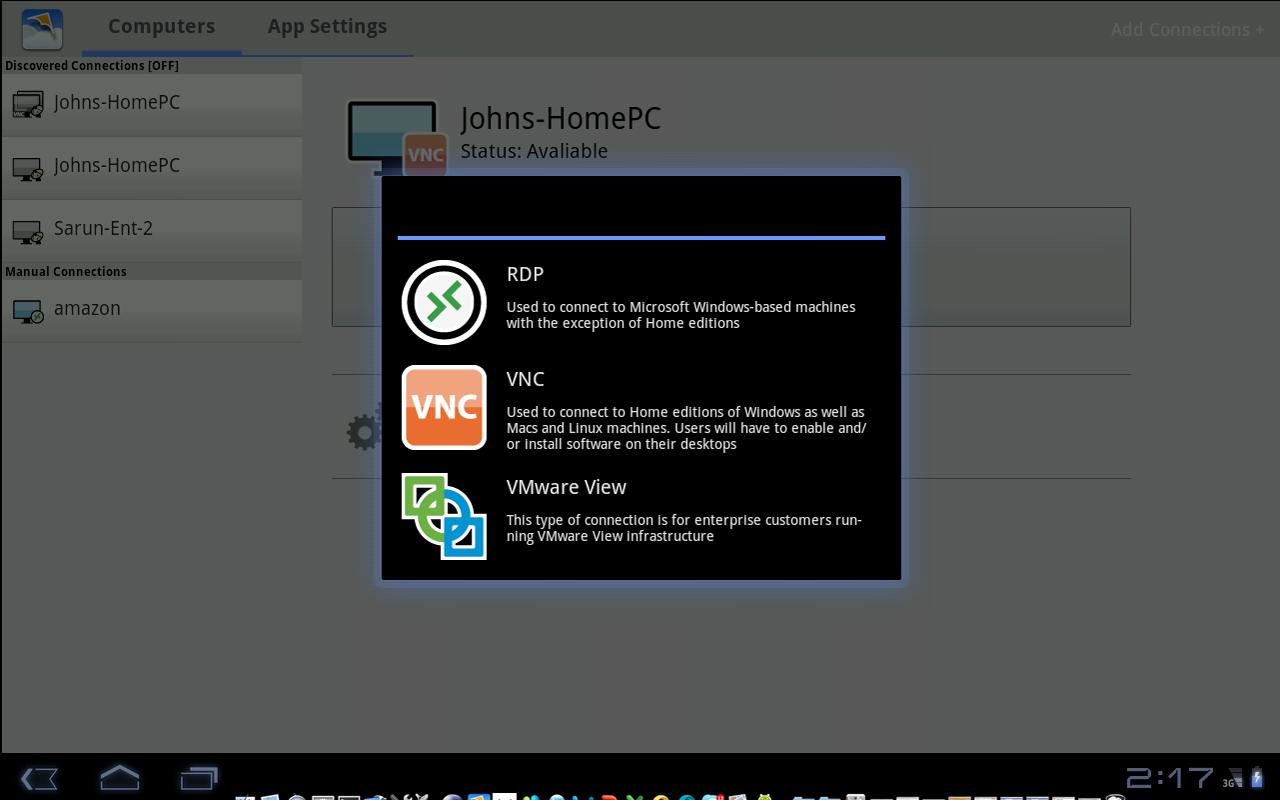
II) Advanced Setup: PocketCloud can also connect directly to machines running RDP or VNC. Simply enter the IP address or hostname to connect.

FEATURES:
✓ Optimized for Phones and Tablets
+Full multitasking support
+Advanced high-accuracy Touch Pointer for instant mouse and keyboard control
+Native resolution on all Android versions including Honeycomb and ICS
+Keyboard auto-activation

✓ Remote Desktop Protocol (RDP) Android Client
+Always up to date with the latest RDP specification from Microsoft (RDP 7.0)
+Microsoft RD Gateway (TS Gateway) support
+Best compression for 3G and 4G
+Sound with auto-bandwidth mode (Windows Pro, Ult. & Ent. only)
+Enterprise grade security: 128-bit encryption, FIPS and NLA support
+NLA (Network Level Authentication): The only Android app the supports CredSSP including NTLM and Kerberos encryption levels!
+File Redirection
+Auto-fit and custom resolutions for RDP

*RDP Features including sound streaming are not supported on VNC, Mac and Home Editions of Windows

✓ VNC Support
+Connects to Macs, Home Editions of Windows and Linux
+Secure 128-bit encryption when using Auto Discovery
+Supports username authentication for Macs

✓Certified for VMware View
+Direct connections and secure TLS/SSL tunneling

✓ Auto Discovery
+Fast and hassle-free setup using your Gmail account
+Secure tunneling for VNC
+No port-forwarding configuration required
+Great for 3G!

✓ Rich Multi Touch Gestures*
+Left Mouse Click: One finger tap
+Mouse Scroll: Two-finger swipe
+Left Mouse Dragging: Tap and hold, then drag
+Bing Keyboard Up: Three-finger tap

*Requires multi-touch support on the device

✓ Enterprise-class Support
+Wyse is a 28+ year Silicon Valley company
+3rd party app integration (URL scheme)

SUPPORTED PLATFORMS
+Android 2.1 or later
+Windows 8, Windows 7, Windows Vista, Windows XP, Windows 2003* & 2008*
+Mac OS X 10.6 & 10.7
+VMware View 4.5, 4.6, 5.0, & 5.1

What's in this Version: (Updated: 27 January 2014)
- MultiTouch support for Win8Pro
- Improved localization support (Brazilian Portuguese, German, Spanish, French, Korean, Chinese and Japanese)
- Other stability improvements

Requires Android: 2.2 and up

-:Screenshots:-

If You Want to Download the APK App: PocketCloud Remote Desktop Pro - v1.4.209 APK for Android, Click on the Following Links (Wait 5 Secs and Then Click on "Skip Ad" to go to the Download Page).

-:Download Links:-

-TusFiles-
Download Now
Size: (11MB)
-------------
-UPAFile-
Download Now
Size: (11MB)
------------- 
-Zippyshare-
Download Now

Enhanced Email - v1.34.5 APK


App's Description:-

If you're experiencing issues with your account resetting after a reboot on Android 4.1.1 please read the comments here -> http://quantumsolutions.us/forum/viewtopic.php?f=10&t=3111&start=10#p17059

** Note **
- If you have a tablet be sure to check out "Enhanced Email for Tablets" instead.
- Licensing agreements with Microsoft dictate you must purchase 1 copy per device you intend to use this application on. Buying 1 copy and installing it on multiple devices is not allowed with EE or even with any other Email application using Microsoft's Activesync technology.

Enhanced Email is a fully featured but lightweight E-mail client that can easily aggregate all of your e-mail accounts into a single location. Whether you are a regular e-mail user just needing to keep in touch with friends/family or a power business user needing to synchronize calendar/contacts/email with your Exchange server, Enhanced Email is the only application you will need.

The focus with Enhanced Email is to offer a mobile application that continues to evolve as the needs of its users evolves. That is why we offer such a large community of support and interaction to keep a close ear to what the users want. Proudly based in the US, support is offered during regular business hours through an online forum which we scour daily to respond to users. International users should expect a response typically within 24 hours. The community of support has grown even further and Enhanced Email now features a Google+ page (https://plus.google.com/108146741302698907415) where the developer responds and interacts with users daily.

** Attention **
* Please see my support forum to obtain a trial copy!

Support for:
* Exchange 2003/2007/2010 SP1 (Activesync only, not Exchange WebServices)
* Zimbra Collaboration Server
* Novell Groupwise Server (Activesync must be running)
* IceWarp Server
* Just about every POP/IMAP server you can think of

Supported on:
* Android 2.2 - 4.2.x

Other Android apps that extend EE's functionality:
* Executive Assistant
* Email Widget by InvalidObject

Some features include:
* Backup/Restore accounts + settings
* Full E-Mail search including message text!
* Custom font when sending messages
* Sort your mail by: Date received, Sender, Subject, Unread messages, messages containing attachments, or by starred/flagged messages
* Pinch to zoom when viewing a message
* Disable syncing of deletes from phone to server (Exchange)
* Growing support for many 3rd party apps that offers an amazing integration with apps/widgets you already love to use!
* Combined Inbox view aggregates mail for all mailboxes into a single location!
* Auto-BCC
* Full HTML inbound/outbound
* PUSH for Mail/Contacts/Calendar --> Exchange only <--
* Ability to sync "ALL" E-mail option (Exchange)
* Customizable account colors for each account
* Ability to select/copy text!
* "Empty Trash" option makes emptying your trash folder 100 times easier/faster

What's in this Version: (Updated: 27 December 2013)
** Note **
READ_CALL_LOG & WRITE_CALL_LOG are being automatically added by Android because my targetSdkVersion isn't set to 16+ and because I use the READ/WRITE CONTACTS permission. You can read more about it here (http://developer.android.com/reference/android/Manifest.permission.html#WRITE_CALL_LOG). I don't use the call log at all in any way shape or form. It's being forced on me.
* Various bug fixes merged from AOSP

Requires Android: 2.2 and up

-:Screenshots:-

If You Want to Download the APK App: Enhanced Email - v1.34.5 APK for Android, Click on the Following Links (Wait 5 Secs and Then Click on "Skip Ad" to go to the Download Page).

-:Download Links:-

-Sharebeast-
Download Now
Size: (1MB)
-------------
-UPAFile-
Download Now
Size: (1MB)
------------- 
-Zippyshare-
Download Now
Size: (1MB)
-------------

OfficeSuite Pro 7 + (PDF & HD) - v7.4.1605 APK


App's Description:-

The world’s number one mobile office today!
# Installed on over 100 million devices in more than 205 countries
# Over 40,000 registrations per day
# Number 1 app in Google Play Business category
Made by MobiSystems, OfficeSuite Pro allows you to view, create, edit, print and share Word, Excel and PowerPoint files on the go. You can also open attachments and see PDF files on an Android based phone or tablet with our feature-rich mobile office solution.
OfficeSuite Pro includes a File Browser and integration with Sharing Service Leaders: Box, DropBox, Google Drive, SkyDrive and SugarSync - to give users a multitude of options on how to manage files and attachments.

---OfficeSuite Pro 7 Out Now! New Features---
* New and improved UI
* Side bar navigation in the File Browser for quick access to different folders and remote third party cloud services
* Templates - OfficeSuite Pro 7 users can benefit from a wide range of templates, from CV and Invoice templates to Travel Planner and Weight Loss Tracker templates, among others
* Extended cloud support - now compatible with Microsoft SkyDrive. Google Drive support has been improved, by adding folder support, thus allowing for optimized document view

Docs Editor:
* Styles - apply MS Word styles or styles used in the document
* Table design – ability to fashion an inserted table as per our library of tailor-made designs
* Formulas (display only)
* Format painter

Spreadsheet Editor:
* Improved selection of parameters in functions

Slides Editor:
* Animations
PDF Viewing:
* A new PDF engine using library from Adobe, providing instant opening of large PDF files
* Find/Find Next

--File Formats Supported--
* Text format - DOC, DOCX, DOCM, RTF, TXT, LOG
* Spreadsheet - XLS, XLSX, XLSM and CSV
* Presentation - PPT, PPTX, PPS, PPSX, PPTM, PPSM
* Other formats - PDF, EML, ZIP

--Easy File Access and Sharing--
* With the integrated File Browser you can easily access, modify and share your local or cloud stored files. OfficeSuite integrates with Google Drive, DropBox, Box, SugarSync and SkyDrive.
* Easily open email attachments
* Work with Outlook EML files
* Share documents via Email or Bluetooth

--Intuitive and Intelligent Design--
OfficeSuite 7 comes with new intuitive design and user experience allowing quick and intuitive workflow while you manage your files or create and modify documents.
The new side bar gives instant access to local and cloud stored files.
Two-finger zoom, multi-touch support, context toolbars and popup menus make your work with OfficeSuite quick and fun.

--OfficeSuite Extensions--
* QuickSpell – fully integrated with OfficeSuite Pro QuickSpell will help you dramatically improve your typing accuracy.
* Font Pack – allows you to use Microsoft most used fonts in OfficeSuite text documents.
Note that OfficeSuite Extensions are sold separately. Purchasing any of the extensions is optional.
Compatible with Sony Ericsson LiveDock™ Multimedia station.
com.sonyericsson.extras.ATTACHED

How OfficeSuite uses the granted permissions on your phone - http://www.mobisystems.com/android_office/full-features.html#permissions

What's in this Version: (Updated: 20 December 2013)
• Free Font Pack for OfficeSuite Pro included.
• Integration with ebook reader (UB Reader) and photo editor (PhotoSuite) apps.
• Ability to add custom fonts via dedicated folder /fonts on memory cards.
• Open office format support - ODT, ODS and ODP file extensions.
• Tight integration with Box app.
• Security improvements for cloud accounts.
• Support of named ranges.
• Ability to move cell selection.
• Fixed bugs in Count formulas.
• Conditional formatting.

Requires Android: 2.2 and up

-:Screenshots:-

If You Want to Download the APK App: OfficeSuite Pro 7 + (PDF & HD) - v7.4.1605 APK for Android, Click on the Following Links (Wait 5 Secs and Then Click on "Skip Ad" to go to the Download Page).

-:Download Links:-

-UPAFile-
Download Now
Size: (28MB)
-------------
-Zippyshare-
Download Now
Size: (28MB)
-------------

Splashtop Remote Desktop HD - v1.9.11.0 APK


App's Description:-

This is the ONLY remote desktop app that streams the whole PC or Mac screen to your Android tablet with smooth, high-res video and audio, allowing you to interact with your all applications, games, multimedia content, and files over Wi-Fi and 3G/4G networks. GO EVERYWHERE WITH JUST YOUR ANDROID DEVICE WITHOUT HAVING TO CARRY YOUR COMPUTER!

Optimized performance for Android 3.x (Honeycomb) and 4.x (ICS) tablets.

Notice:
#.If you have upgraded Splashtop Streamer on your computer to v2, please visit http://support-remote.splashtop.com/entries/21658867 to configure the settings.

Honors:
* BEST of CES 2012 -- Best Mobile App
* BEST OF CES 2011 Award
* #1 Android Market "Top New Paid App" (June)
* Top Android Market business apps in US, UK, Canada, etc.
* #1 iPad, iPhone, Windows, Mac, webOS, etc.

Fast and Easy Setup:
* One-click access to your computer desktop with minimal setup
* Install the free Splashtop Streamer on your computer - supports Windows 7, Vista, and XP, as well as Mac OS X 10.6+ (Snow Leopard or Lion is required for Mac users).
* Application automatically finds your local computers, or sign in to your Gmail account on the app and Streamer to find your computers across the Internet

Note: If you have an Android smartphone, please purchase "Splashtop Remote Desktop" instead which has been optimized for smaller screens.

What's in this Version: (Updated: 4 December 2013)
* Performance optimization on Android 4.3 and up
* Bug fixes and general improvements

Requires Android: 3.1 and up

-:Screenshots:-

If You Want to Download the APK App: Splashtop Remote Desktop HD - v1.9.11.0 APK for Android, Click on the Following Links (Wait 5 Secs and Then Click on "Skip Ad" to go to the Download Page).

-:Download Links:-

-Sharebeast-
Download Now
Size: (3MB)
-------------
-Zippyshare-
Download Now
Size: (3MB)